Royal Dream for iOS is available officially for iOS devices. Royal Dream APK is mainly an Android app, but the iPhone and iPad version has been live on Apple’s platform with the same classic Indonesian core game library.
Royal Dream is built around 100+ classic Indonesian card and tile games like the Qiu Qiu, Rummy games called Remi, colorful arcade shooter and slot-style bonus round called DFDC Pro etc.
Royal Dream iOS offers several ways to play, a modern interface, and an in-app chat feature so players can talk to each other during sessions rather than playing in isolation.

More About Royal Dream iOS
Royal Dream iOS is listed on the App Store as a free download with in-app purchases, built specifically for iPhone (it’s not verified for Mac, so stick to iPhone or iPad if you want the intended experience). There’s no separate “iOS edition” name to search for — it’s the same Royal Dream, just published through Apple’s store instead of an Android APK.
How to Download Royal Dream on iPhone or iPad
The process is the same as installing any App Store title:
- Open the App Store on your device.
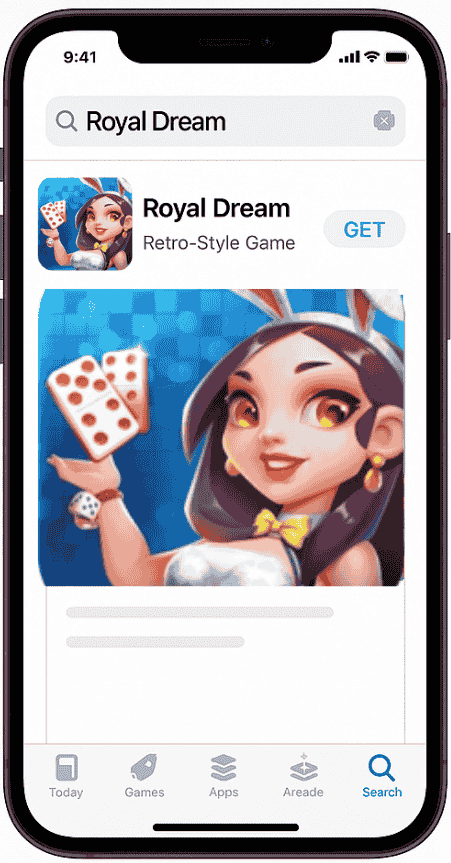
- Search “Royal Dream” in the search tab.
- Check the developer name before tapping install — it should show EXTEK FUN as the developer. This matters because a few similarly themed apps with generic icons show up in the same search results, and confirming the publisher name is the quickest way to avoid installing the wrong one.
- Tap Get, wait for it to download, then open it.
- Choose how to log in — guest access works if you just want to try it out, but linking a Facebook account is what lets your progress carry over if you switch phones later.
No emulator, no jailbreak, no third-party installer. If a site tells you otherwise, that’s your cue to close the tab.
Royal Dream iOS App Details
A few practical specs worth knowing before you download:
- Developer: EXTEK FUN
- File size: roughly 250 MB
- Compatibility: requires iOS 12.0 or later on iPhone and iPod touch
- Category: Apple lists Royal Dream under its Casino category
- Age rating: 18+, with Apple’s content descriptor flagging simulated gambling elements — meaning the app includes slot-style and jackpot-style mechanics, even though, per the developer’s own in-app disclaimer, there’s no real-money payout tied to in-game wins
- Rating: around 4.6 out of 5 from roughly 38,000 App Store reviews at time of writing
That age rating and category are worth pausing on if you’re downloading this for a younger family member’s device — this one’s built for adult players, not general audiences.
Games and Modes Inside Royal Dream
Once installed, the iOS version gives you access to the full lineup:
- Qiu Qiu — a card game built around assembling the strongest possible hand to beat other players at the table.
- Remi — a 52-card Rummy variant where sequencing skill matters more than luck.
- Airplane — an arcade-style shooter with bright visuals, closer to a quick action break than a strategy game.
- DFDC Pro — a slot-style mode with tiered win levels and bonus spin features.
Switching between modes happens inside the same app, so you’re not downloading anything extra to try a different game.
In-App Purchases and Chip Packages
This is the part a lot of download guides gloss over, so it’s worth being direct about it: Royal Dream sells in-game chip packages for real money, priced in Indonesian Rupiah, ranging from smaller bundles up to larger ones. These chips are used as in-game currency for play — there’s no listed feature for converting chips back into real cash, which is the key distinction between this and actual real-money gambling. But purchasing chips itself does involve spending real money, so it’s not a fully free-to-play experience if you want to keep playing once starter chips run low.
If you’d rather not spend anything, the app is still playable without purchases — you’ll just be working with a more limited chip balance.
Privacy and Data on iOS
Per the developer’s App Store privacy disclosure, Royal Dream collects a mix of data types:
- Used for tracking across other apps and websites: device identifiers
- Linked to your identity: device ID, used for both third-party advertising and core app functionality
- Not linked to your identity: precise location (for analytics), crash diagnostics, and photos or videos (tied to specific app features)
None of this is unusual for a free, ad-supported mobile game, but if you’re cautious about ad tracking specifically, it’s worth checking your device’s tracking permissions after install (Settings > Privacy & Security > Tracking) so you can control what gets shared.
Ratings and User Feedback
At the time of writing, Royal Dream sits at roughly 4.6 out of 5 across around 38,000 ratings on the App Store — a solid score for an app in this category. As with most social card and slot-style apps, player experiences vary session to session, which is typical of how these games are designed. If you’re weighing whether to install it, the App Store review section itself is the most current source, since ratings and comment volume shift over time.
Royal Dream on iOS vs Android
The two versions are built around the same core game library — Qiu Qiu, Remi, Airplane, and DFDC Pro all show up on both platforms. If you log in through a linked Facebook account rather than playing as a guest, your progress and chip balance sync across devices, so moving from an Android phone to an iPhone (or the other way around) doesn’t mean starting from zero.
The differences are mostly platform mechanics rather than content: Apple and Android handle app updates and minimum OS requirements independently, so version numbers and update timing can be slightly out of sync between the two stores. In-app purchase pricing is also set separately by each platform’s payment system.
Tips for a Smooth Setup
- Link your account early. Even if you start as a guest, connecting Facebook sooner rather than later protects your progress if you ever reinstall or switch devices.
- Check your storage. At around 250 MB, it’s not a huge download, but make sure you’ve got enough free space plus room for updates.
- Review tracking permissions after install if ad personalization isn’t something you want enabled.
- Only download from the App Store app itself — not a browser-based “App Store download” link from a third-party site, which is a common trick used to redirect people to something else entirely.
Royal Dream iOS Common Setup Issues and Fixes
“Royal Dream” doesn’t show up when I search the App Store. First, confirm your device meets the iOS 12.0 minimum. If it does, check the country/region set on your Apple ID under Settings > App Store — availability windows can vary slightly by region, and switching regions occasionally resolves search visibility issues.
The app downloads but won’t open. This is usually a storage issue rather than anything wrong with the install itself. Free up some space, restart your device, and try opening it again. If it still won’t launch, deleting and reinstalling almost always clears it, and your progress will still be there afterward as long as your account is linked rather than running as a guest.
Purchases aren’t going through. Double-check that your Apple ID has a valid payment method attached under Settings > [Your Name] > Payment & Shipping, and that you’re connected to a stable network. In-app purchase failures on iOS are almost always tied to payment method or connectivity rather than the app itself.
I can’t find my progress after switching phones. This one comes down to login method. Guest accounts don’t carry over between devices — only progress tied to a linked Facebook account does. If you started as a guest, there’s unfortunately no way to recover that data on a new device.
Frequently Asked Questions
Is Royal Dream free?
It’s free to download and playable without spending money, though chip packages are available as in-app purchases if you want more in-game currency.
Is Royal Dream appropriate for kids?
No — Apple rates it 18+ due to simulated gambling elements like slot and jackpot mechanics, so it’s designed for adult players.
What’s the minimum iOS version required?
The minimum iOS version required to run the Royal Dream smoothly is iOS 12.0 or later on iPhone and iPod touch.
Do I need to jailbreak my iPhone to install it?
No. It installs the same way as any other App Store app — no jailbreak, no sideloading.
Will my progress transfer between an Android device and an iPhone?
Yes, as long as you’re logged in through a linked account rather than playing as a guest on either device.
Final Thoughts
Royal Dream iOS is available on the App Store to download, with the same core Indonesian games, the same account system, and the same core experience as the Android version. The only real thing worth noting before you install it is knowing that you’re installing the exact Royal Dream iOS app with optional real-money chip purchases and standard ad-related data collection. Beyond that, it’s a two-minute setup from the App Store to your home screen. Just download and enjoy!
Royal Dream iOS (Latest) - Download for iPhone/iPad [2026]
Royal Dream iOS offers several ways to play, a modern interface, and an in-app chat feature so players can talk to each other during sessions rather than playing in isolation.
Price: Free
Operating System: iOS - iPhone/iPad
Application Category: Gaming App
4.7